Reference
Webhooks
Plan Requirements
How Webhooks Work
Webhooks trigger a notification (a HTTP POST) to your application when specific Solana public keys are mentioned in a transaction. For example, if you configure a webhook pointing to https://myapplication.com/webhook using your wallet public key, any time your wallet is mentioned by a transaction, we will send that transaction to that URL.
This is useful (for example) when recording payments made to your application's wallet.
Retry Attempts
On failure to contact your website, webhooks will retry. Each webhook will make 5 attempts, with logarithmic falloff.
Rate Limits
Each webhook may have at most 100 pending notifications. Any further notifications will be dropped. Make sure your website can receive and process notifications promptly!
Processing large volumes
Setting Up a Webhook
Your webhooks live in the Webhooks page of the dashboard. Select Create Webhook to open the form.
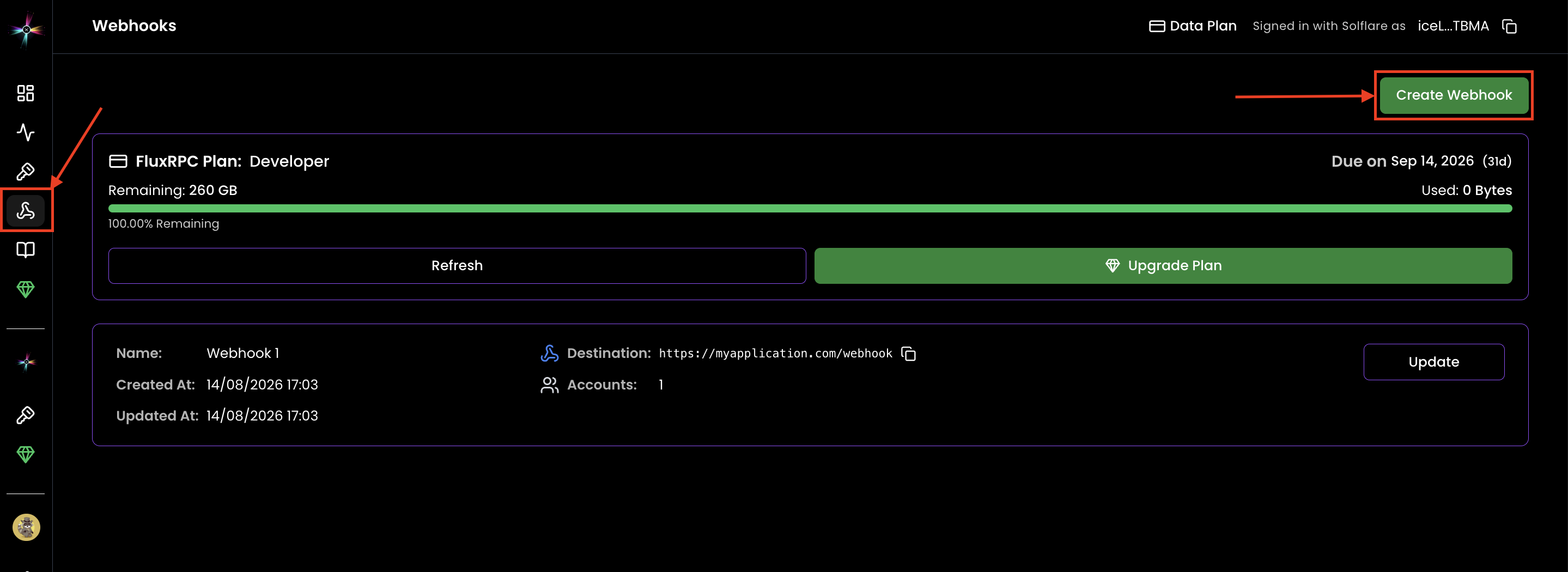
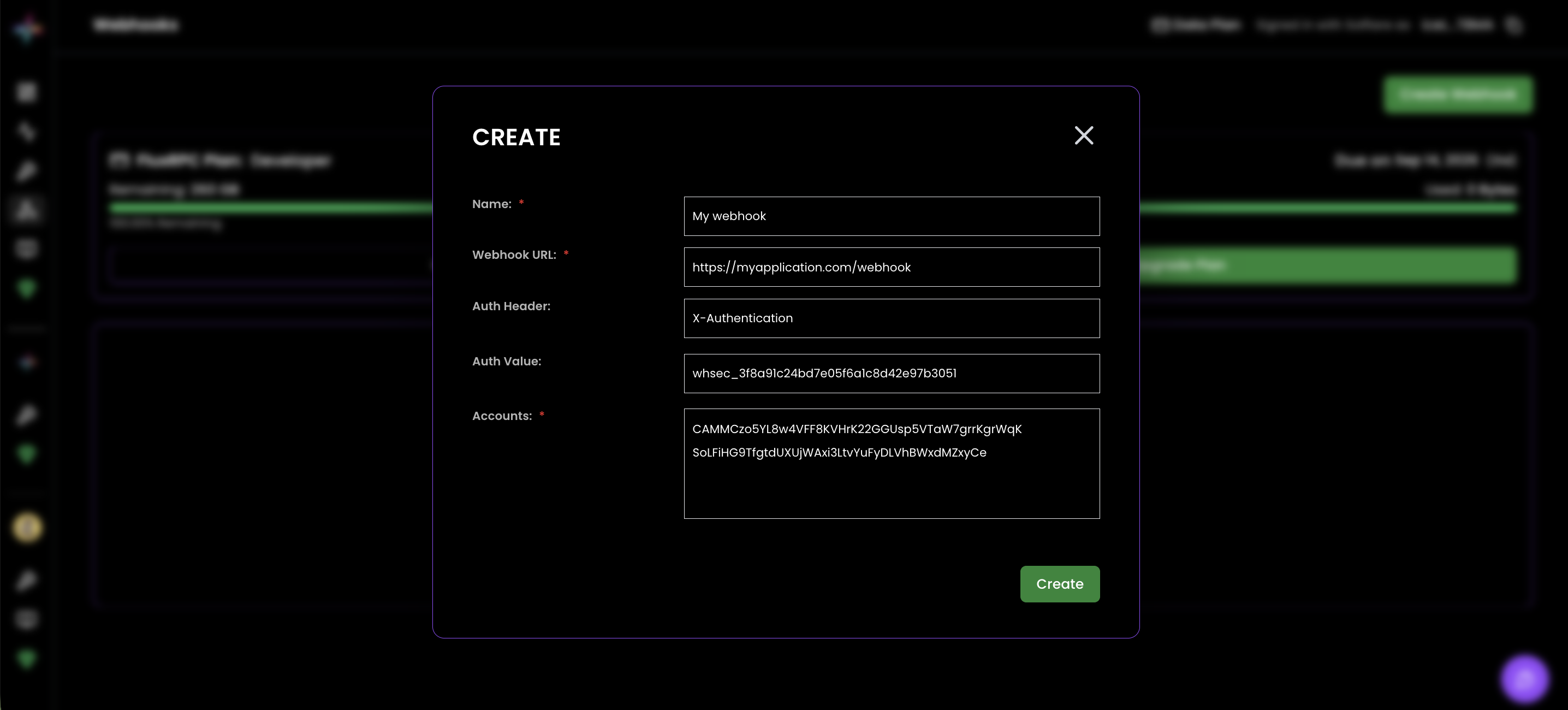
A webhook requires the following information to set up:
- A name
- A URL, which must begin with
http://orhttps://. You may use IP addresses, and specify specific ports. - At least one public key to watch. You may enter up to 255 public keys per webhook (one per line).
Optionally, you may include:
- An authentication header, which will be included in the webhook. This is so that you can authenticate the POST request from FluxRPC. This field is the name of the header (e.g.
X-Authentication). - An authentication value, which will be included in the webhook. This is the actual value your application uses to authenticate the webhook.
Security
Setup is free
Testing Your Webhook
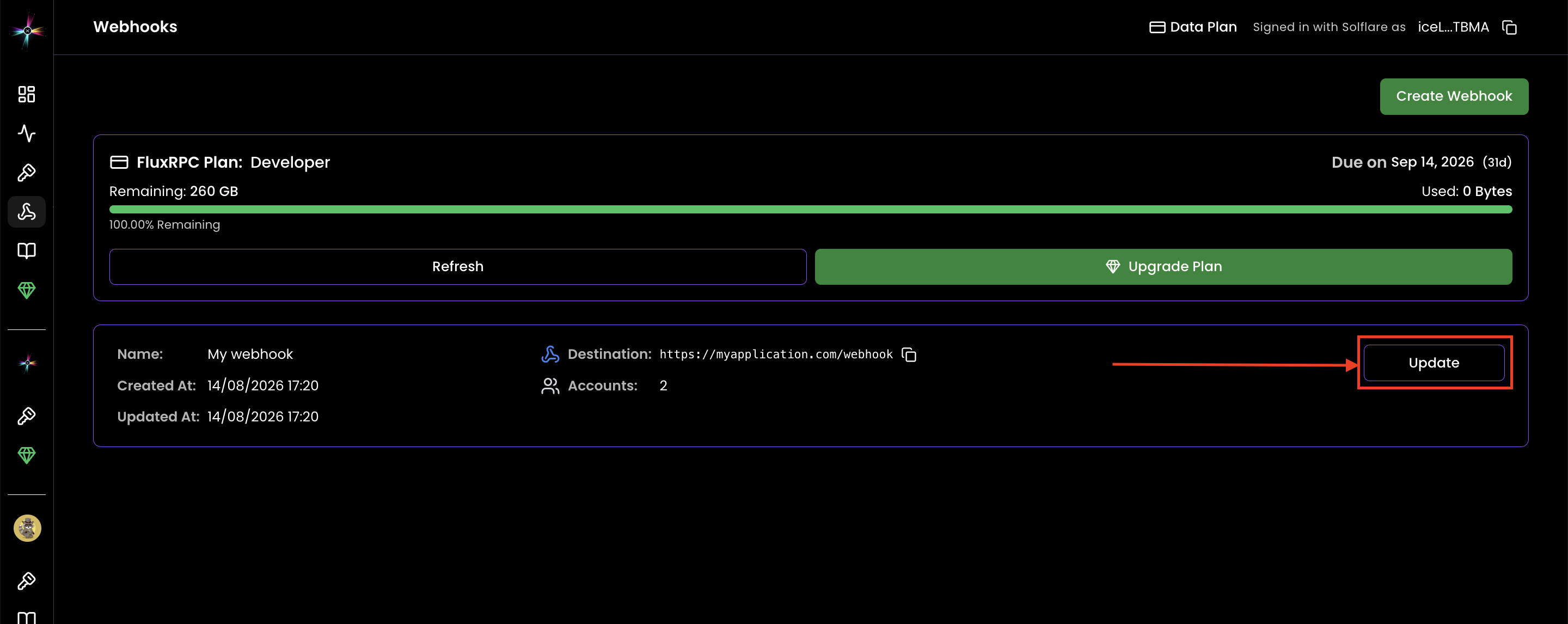
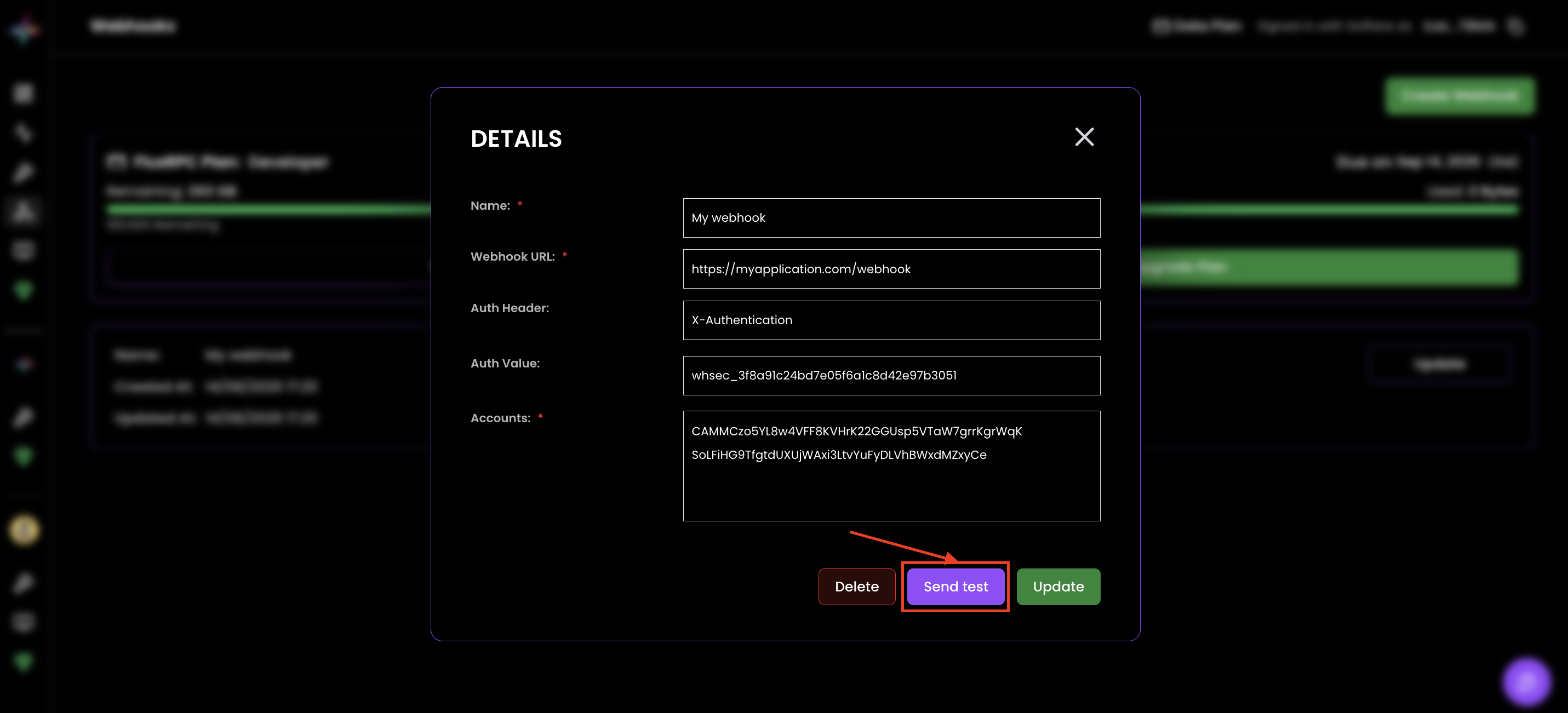
Once the webhook is created, select Update on it to reopen it — the details view has a Send test button. This will cause us to send a HTTP POST request to the URL you specified, so you can test your setup. This is rate-limited to one request per second to prevent abuse.
Example Payload
This is an example of what the webhook payload your website receives will look like: